Custom color themes#
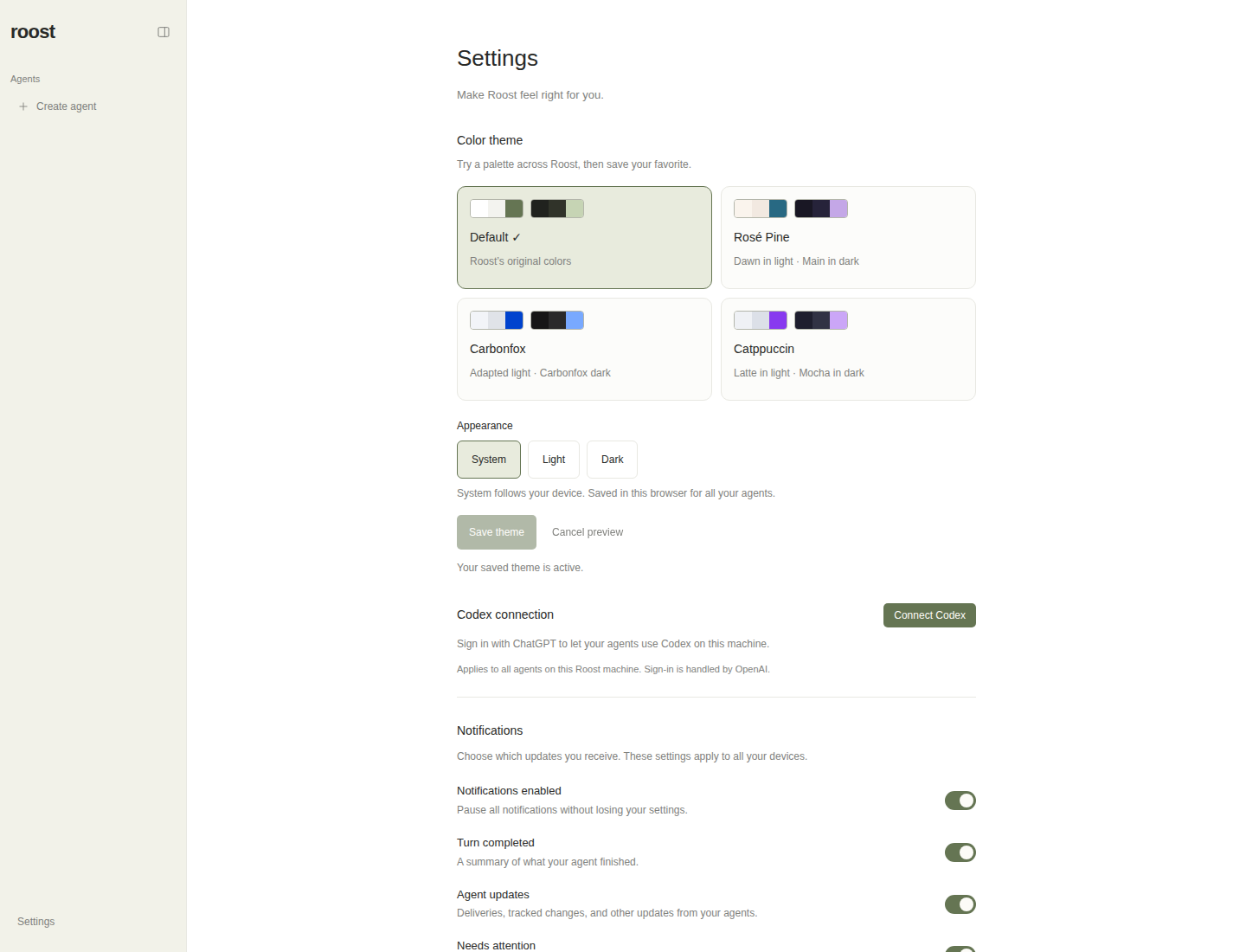
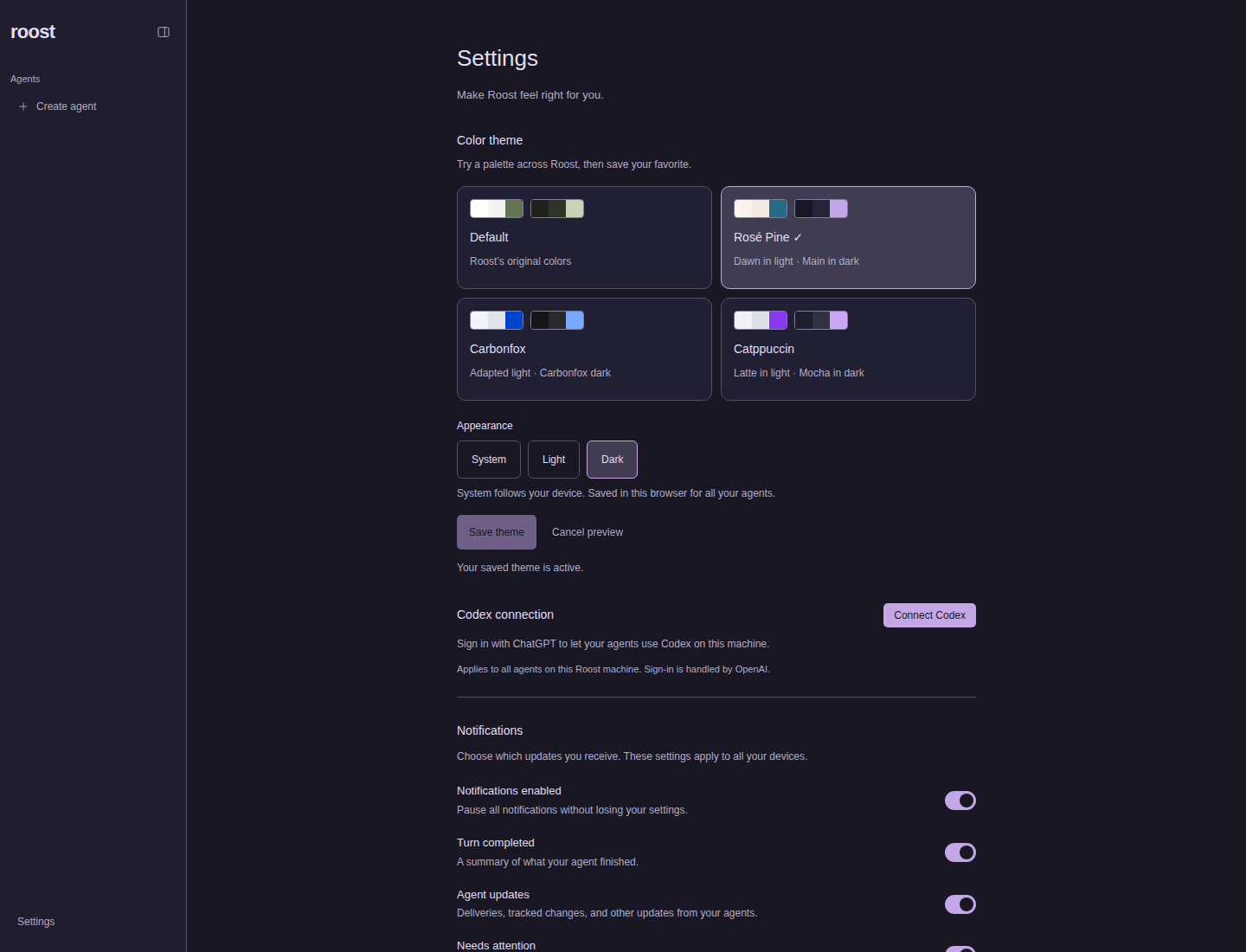
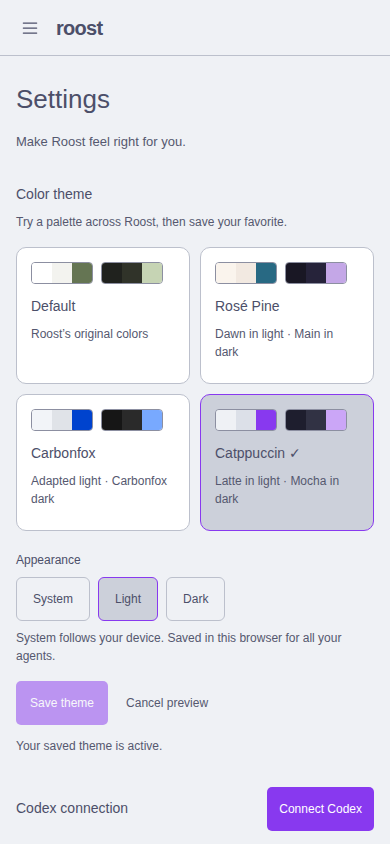
Settings → Appearance → Color theme provides Default, Rosé Pine, Carbonfox, and Catppuccin. Each supports System, Light, and Dark. System follows the device immediately, including changes while the app is open. Default preserves Roost’s original light/dark colors.
Selecting a preset or appearance previews it throughout Roost without writing storage. Save theme persists the selection in the browser for one year. Cancel preview, leaving Settings, or reloading discards unsaved changes. Choosing Default and saving restores the original palette. A blocked cookie write shows an error and leaves the preview reversible.
Implementation#
apps/web/src/features/settings/themes.ts: validatedroost.themecookie format (preset:mode), palette catalog, semantic color roles, and media-query CSS.display-functions.ts: reads the saved theme alongside the existing display preferences, using the existing private/no-store server function convention.theme-provider.tsx: document-wide preview/saved state, cookie write verification, and browser theme-color metadata.apps/web/src/routes/__root.tsx: supplies the saved palette on the server render; CSS resolves System before JavaScript runs. Invalid cookies fall back to Default/System.apps/web/src/styles/tokens.stylex.ts: existing StyleX tokens reference the palette’s CSS variables, retaining original fallback colors. All consumers, including portal dialogs and the mobile navigation drawer, inherit the active palette.apps/web/src/components/theme-setting.tsxandapps/web/src/routes/settings.tsx: accessible radio groups, paired light/dark swatches, selection indicators, save/cancel, status announcements, and route-unmount cleanup.apps/web/tests/themes.test.ts: cookie validation/round-trips and numerical contrast tests. Disposable browser helpers were removed during release integration; the screenshots and verification record remain.
Palette sources and adaptations#
| Preset | Light | Dark | Source |
|---|---|---|---|
| Default | Existing Roost light | Existing Roost dark | Existing tokens |
| Rosé Pine | Dawn | Main | Official palette |
| Carbonfox | Roost light adaptation | Carbonfox | Nightfox palette |
| Catppuccin | Latte | Mocha | Official palette |
Carbonfox’s upstream palette is dark-only; the picker explicitly labels the light version as adapted. Semantic surfaces, borders, muted labels, and review colors are adjusted where needed for the app. The custom palettes meet 4.5:1 contrast for foreground/muted text against background, sidebar, surface, selected, and bubble colors, and for on-accent button labels. These checks are not a claim of a full accessibility audit. Existing Default muted colors are preserved and excluded from the new muted-text threshold.
Verification#
Validated on 2026-09-08 in the prepared feat/custom-themes worktree, using an
isolated localhost production preview with its own /tmp data and an unavailable
Codex binary. No live Roost data or host configuration was changed.
pnpm lint,pnpm typecheck,pnpm format:check, andgit diff --check.pnpm test: 140 tests passed.pnpm build: application and CLI production bundles built.pnpm test:auth:production: enrollment, login, private pages/API, desktop upgrade, revocation, and recovery passed.pnpm check:sites: site type checks, tests, and builds passed.- Chromium: desktop 1440×1100 and mobile 390×844, all eight palette variants; sample conversations; preview without persistence; cancel; reload; save; route navigation; System changes; keyboard selection; blocked storage; server-rendered colors with JavaScript disabled; no hydration/page errors.
The shell did not initially provide pnpm or browser tooling. Temporary copies
were installed under /tmp; the project manifest/lockfile did not change.
Socket/subprocess tests and Chromium required execution outside the filesystem
sandbox. The full suite also required removing inherited ROOST_CODEX_BINARY
and Nitro port variables and setting only the test process umask to 022.
The initial inherited environment produced unrelated Herdr fixture and archive
permission failures; the corrected run passed all 140 tests.
Reproduce after installing dependencies and making pnpm available:
pnpm lint
pnpm typecheck
pnpm format:check
(umask 022; env -u ROOST_CODEX_BINARY -u NITRO_PORT -u NITRO_HOST pnpm test)
pnpm build
env -u NITRO_PORT -u NITRO_HOST pnpm test:auth:production
pnpm check:sites
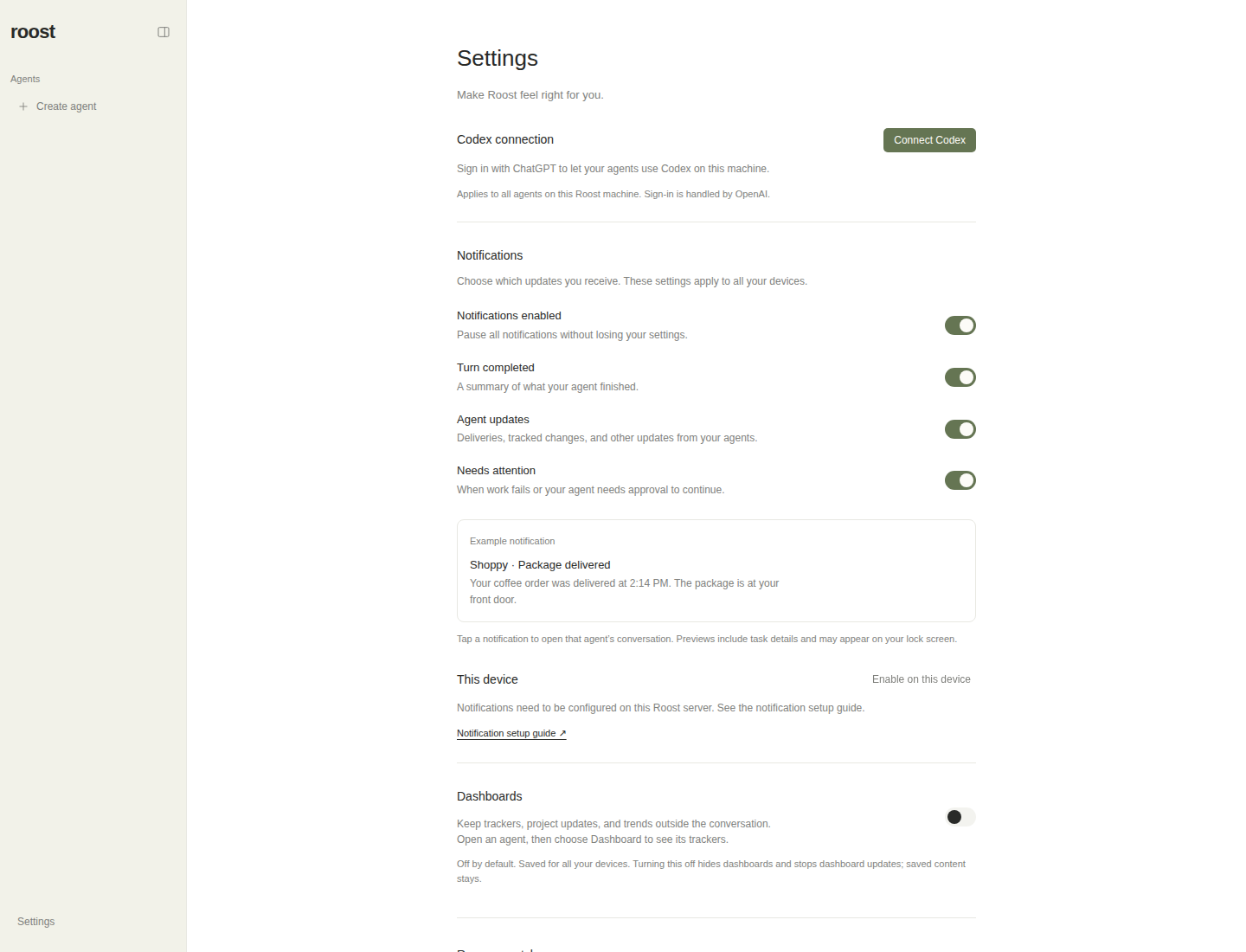
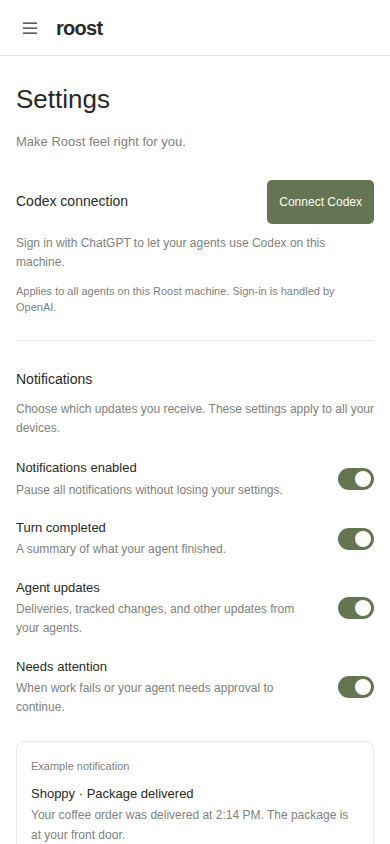
Matched BEFORE / AFTER Settings renders#
These are actual rendered production builds, captured on 2026-09-08. BEFORE
uses pre-change commit 3f7bae287253e1c4c5449ea78521b2fcc072152d (the parent
of the implementation), built from a Git archive in /tmp. AFTER uses
f5ee1107c5047d42c16719a23216897a782a8086. The baseline contains no theme picker;
an after screenshot with Default selected is not being used as the baseline.
Both builds used fresh, separate temporary data and temporary localhost ports: no agents, Codex disconnected, notification delivery unconfigured, navigation closed, Settings at the top, response style Codex, activity details off, and light device appearance. The after view uses Default/System to isolate the UI change. Each pair has the same viewport and device scale factor of 1. Chromium reported no page/hydration errors or horizontal overflow. Both preview processes were stopped after capture; no live data, host configuration, or other worktree was changed. Capture metadata.
Desktop BEFORE — 1440 × 1100#
Desktop AFTER — 1440 × 1100#
Mobile BEFORE — 390 × 844#
Mobile AFTER — 390 × 844#
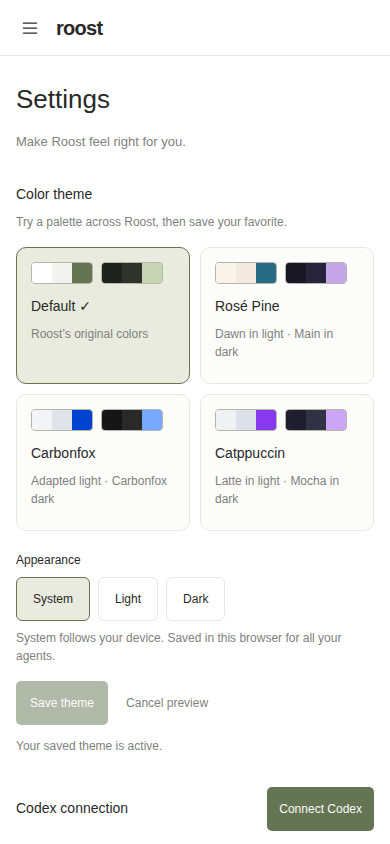
Representative custom palettes#
All palette views#
| Palette | Desktop light | Desktop dark | Mobile light | Mobile dark |
|---|---|---|---|---|
| Default | View | View | View | View |
| Rosé Pine | View | View | View | View |
| Carbonfox | View | View | View | View |
| Catppuccin | View | View | View | View |
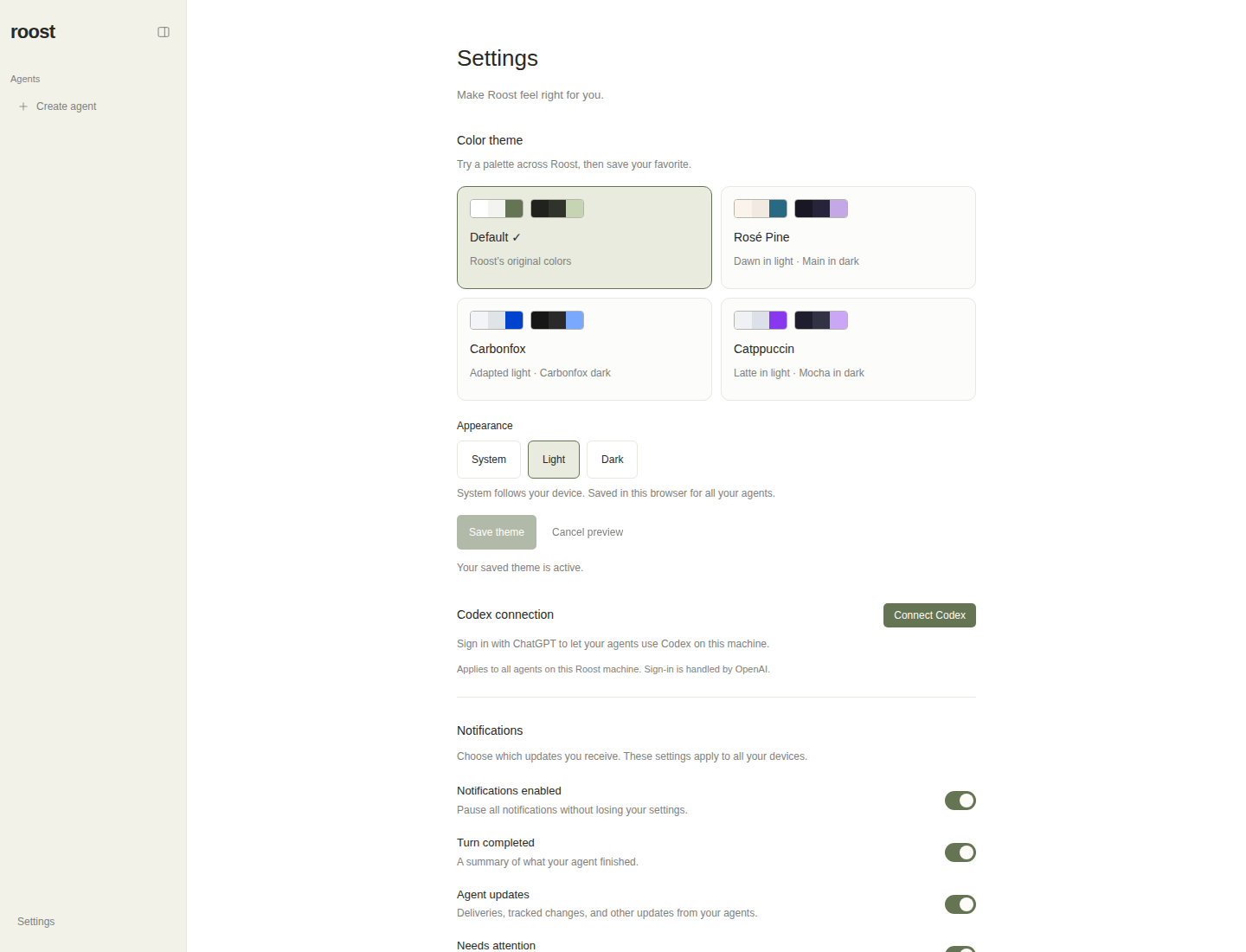
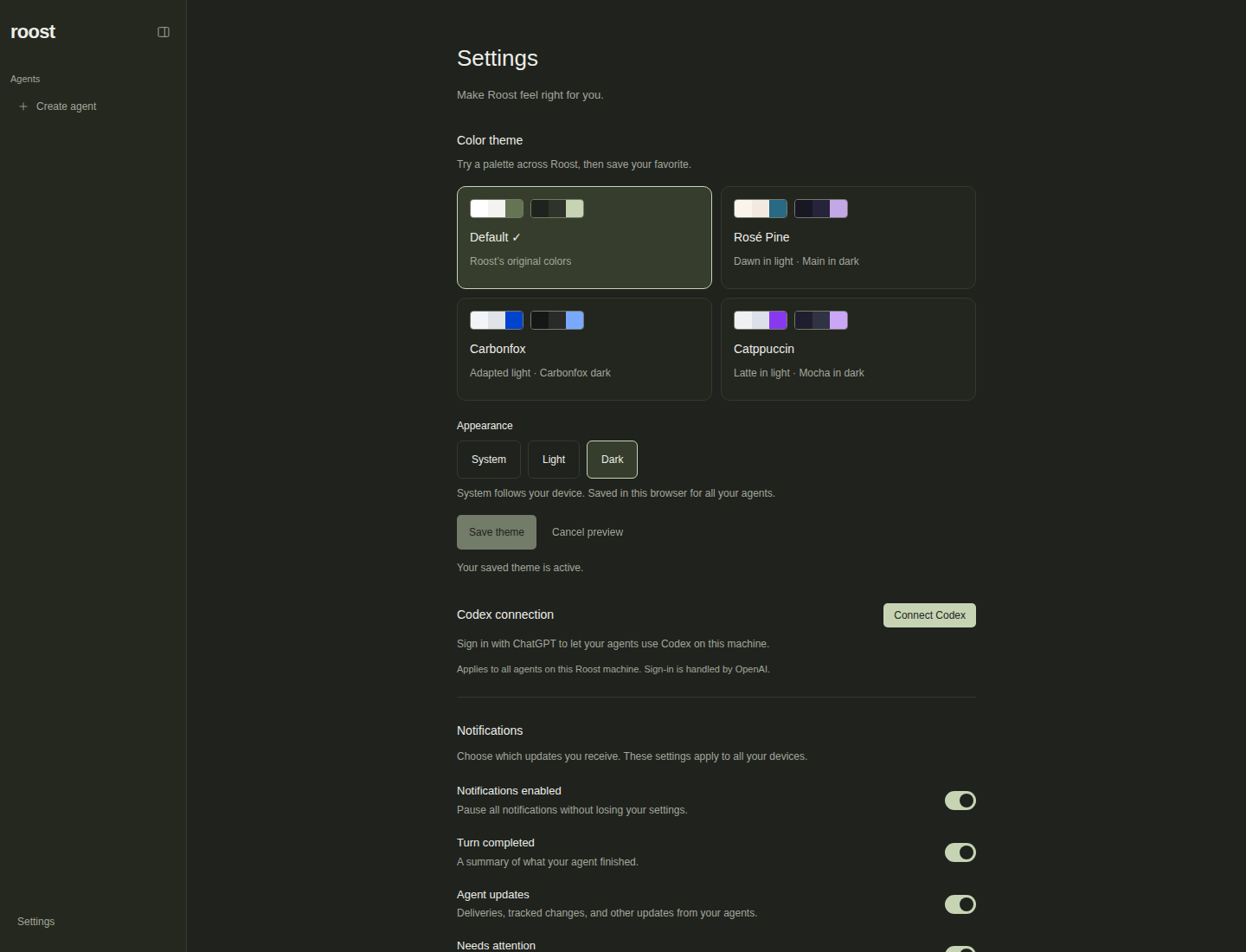
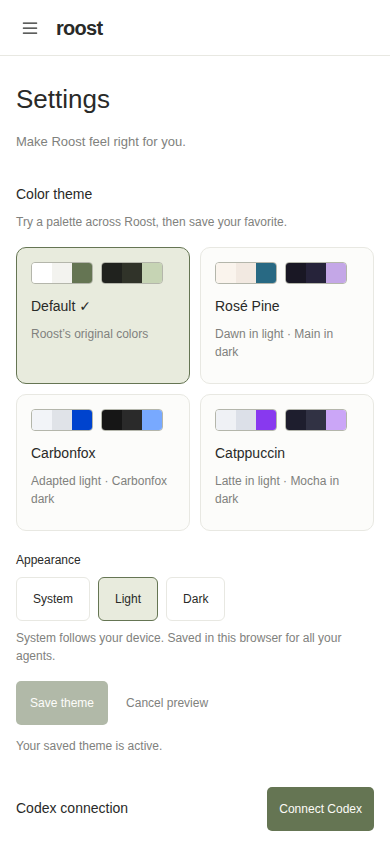
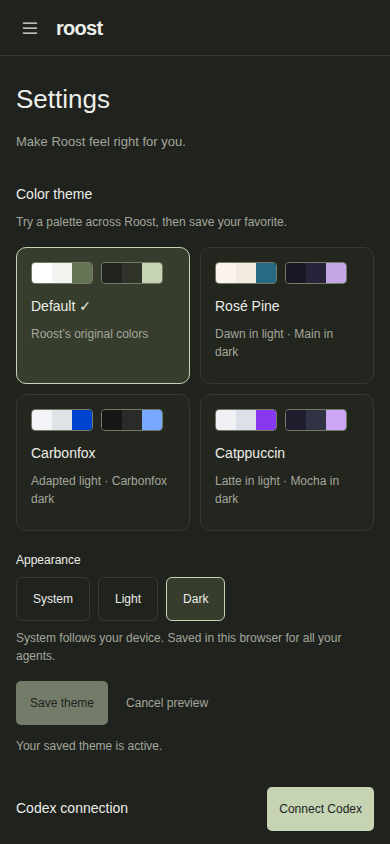
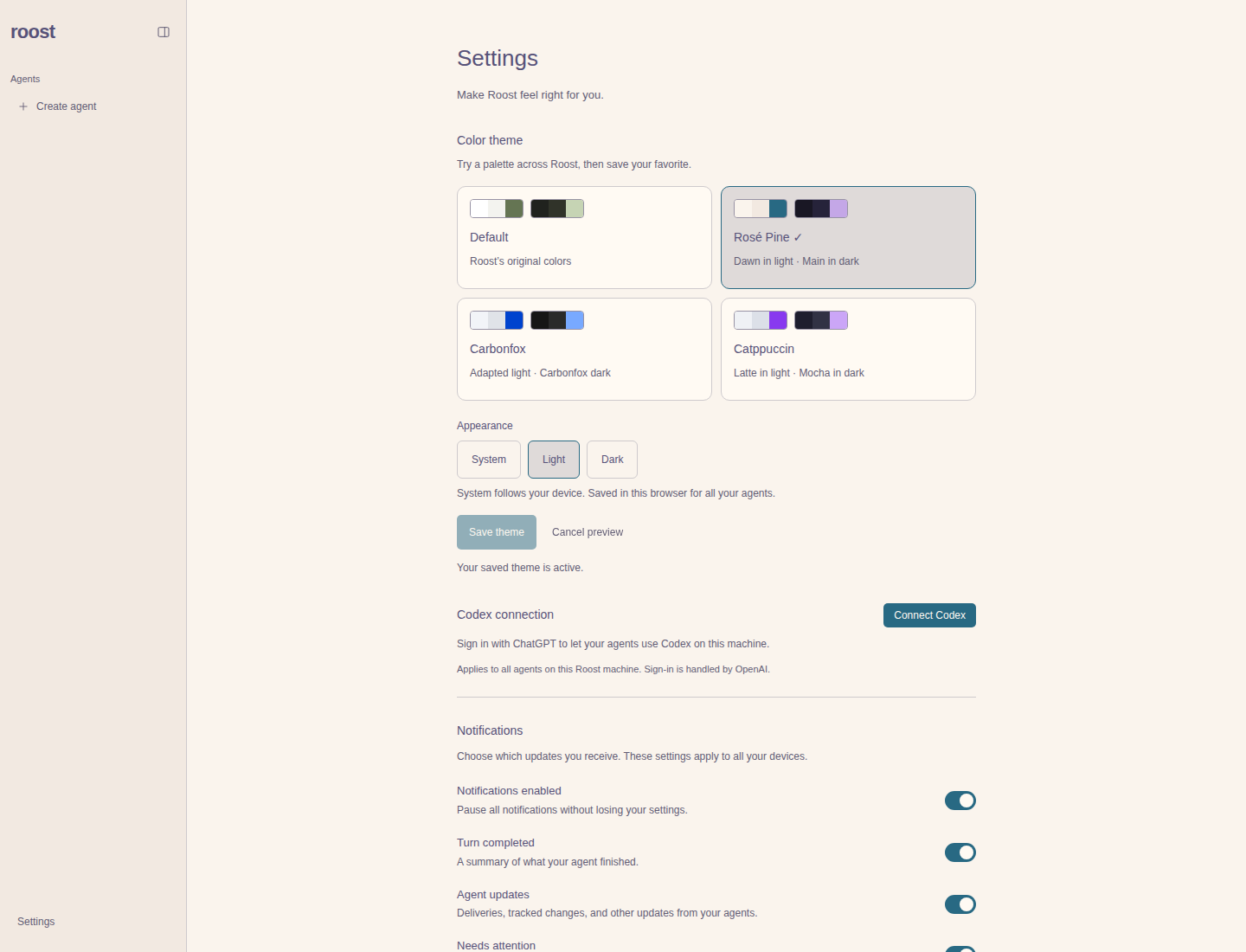
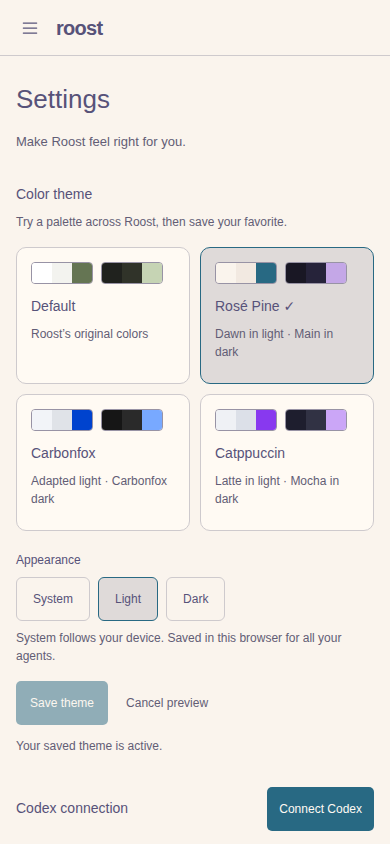
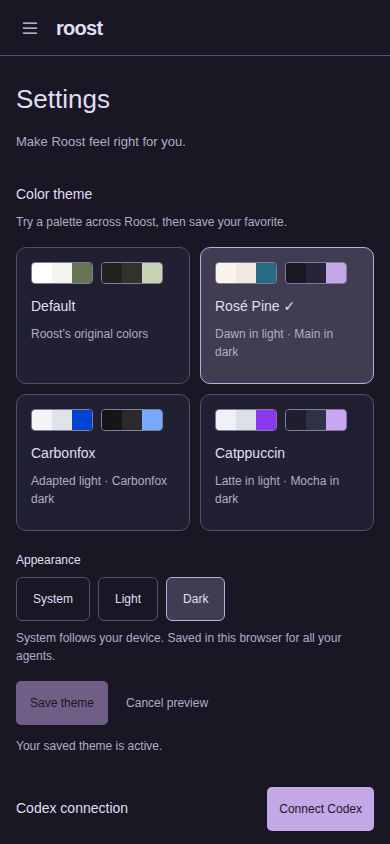
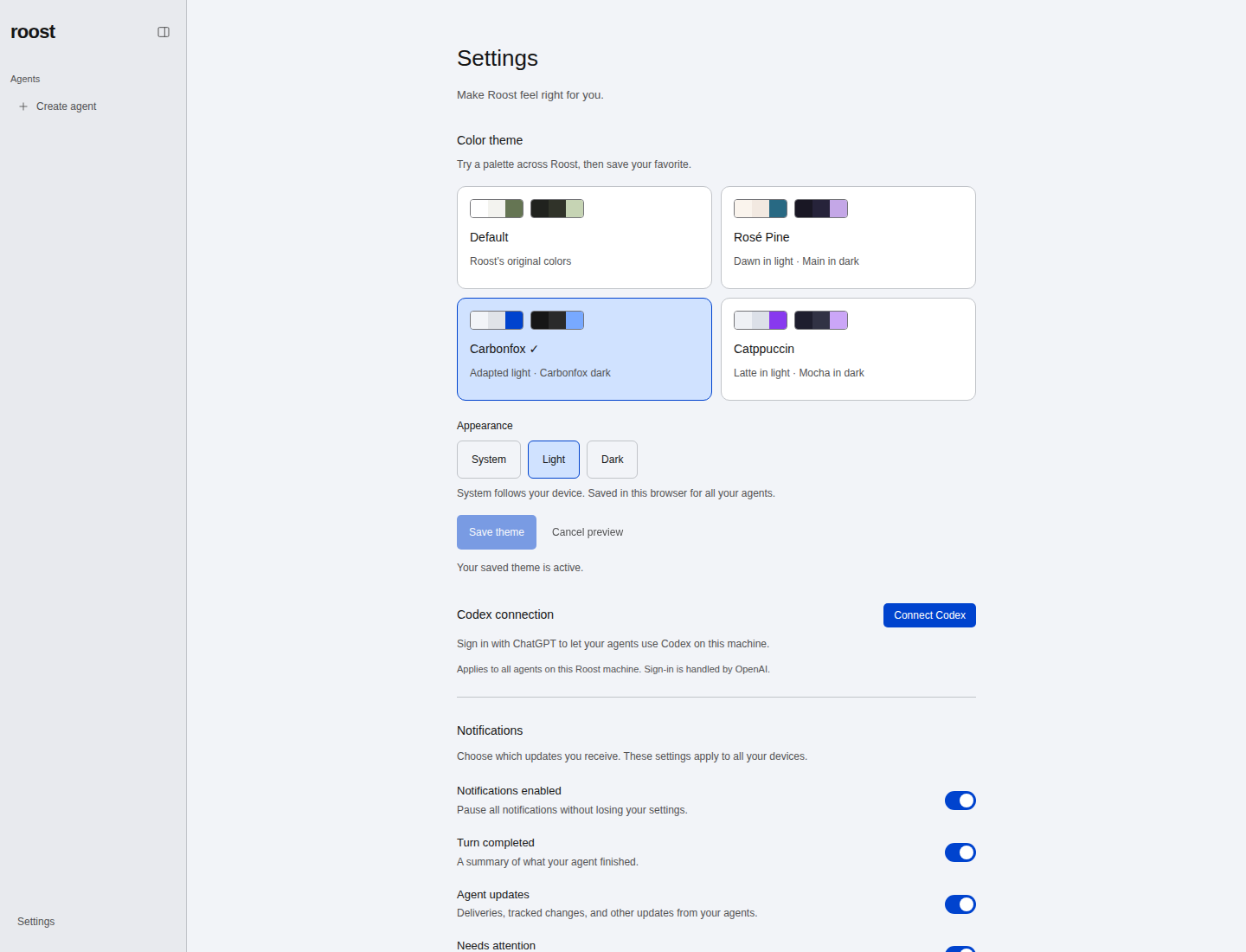
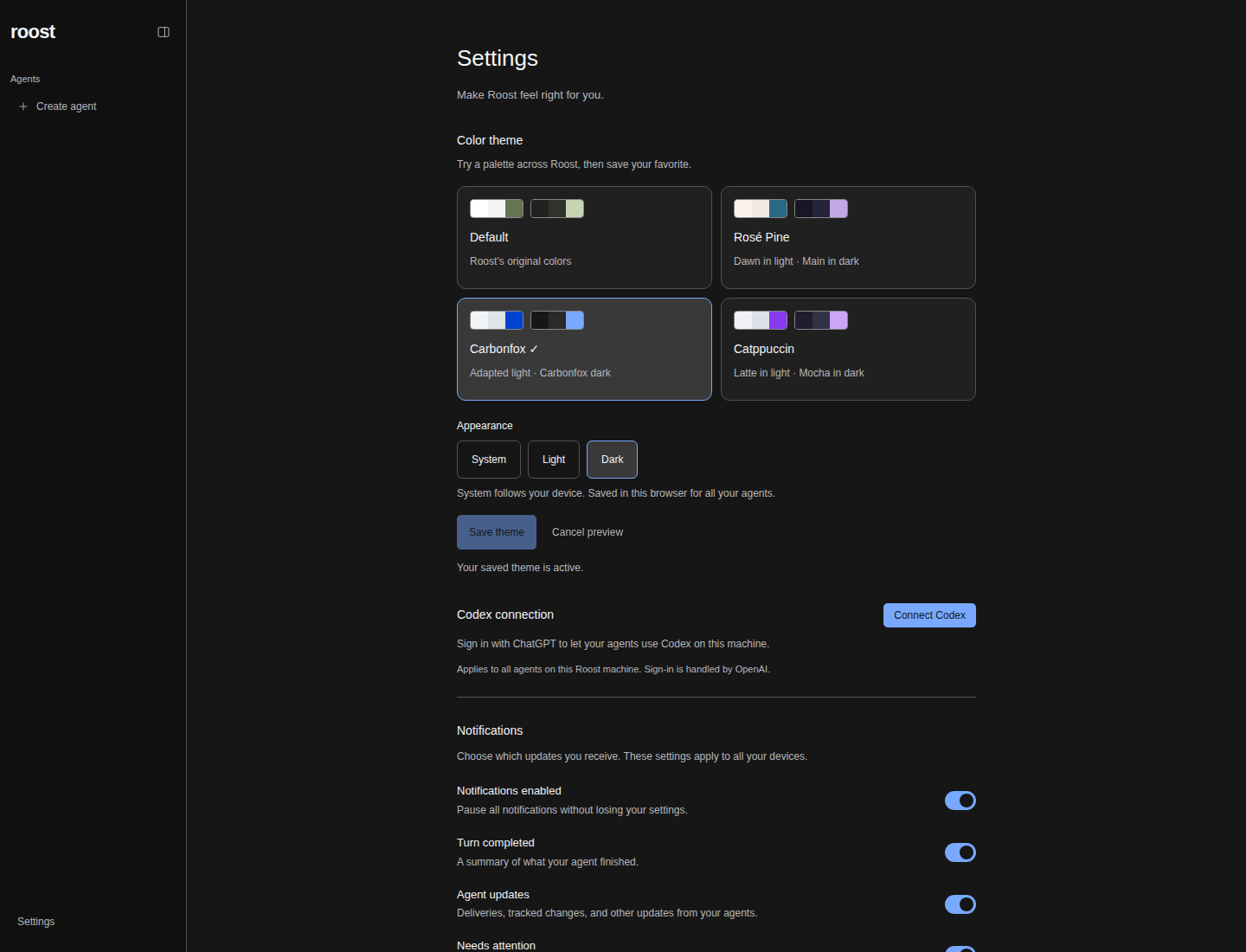
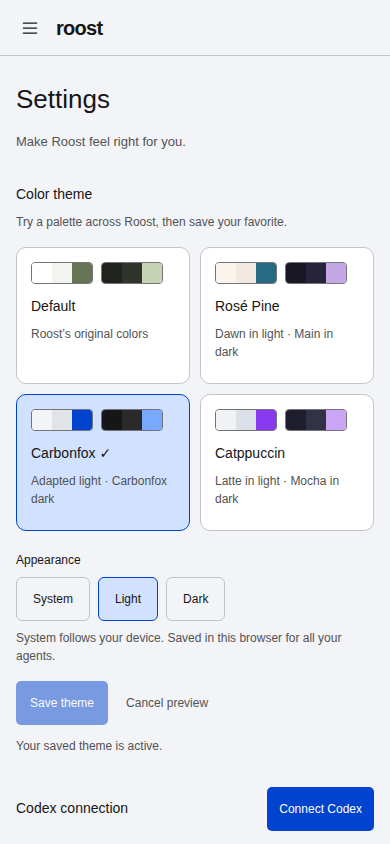
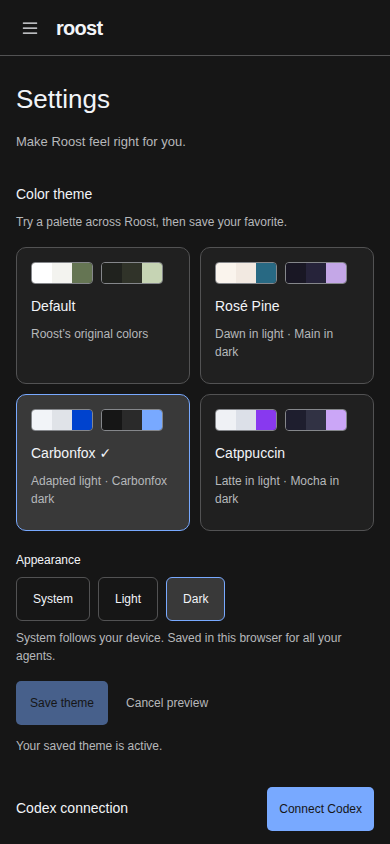
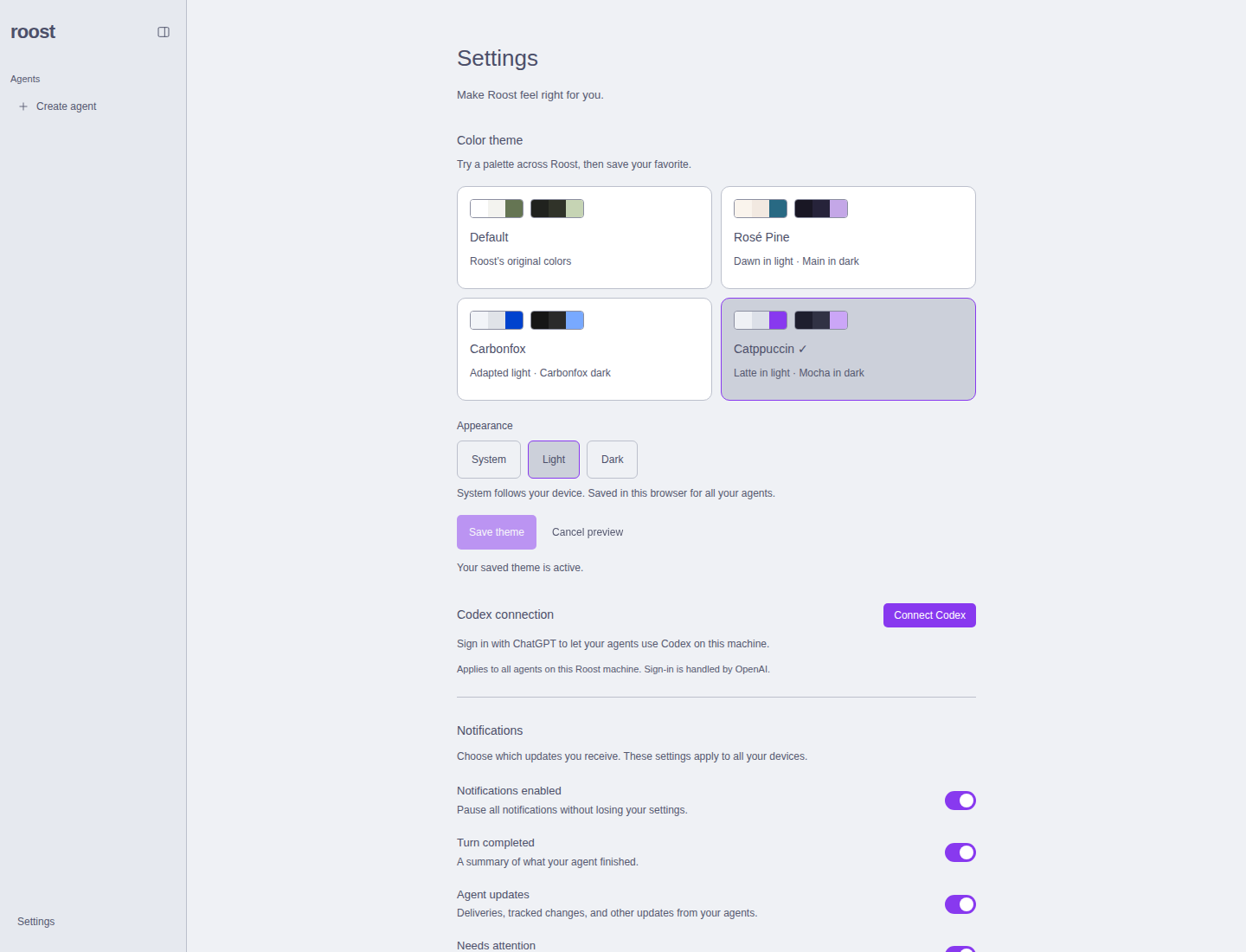
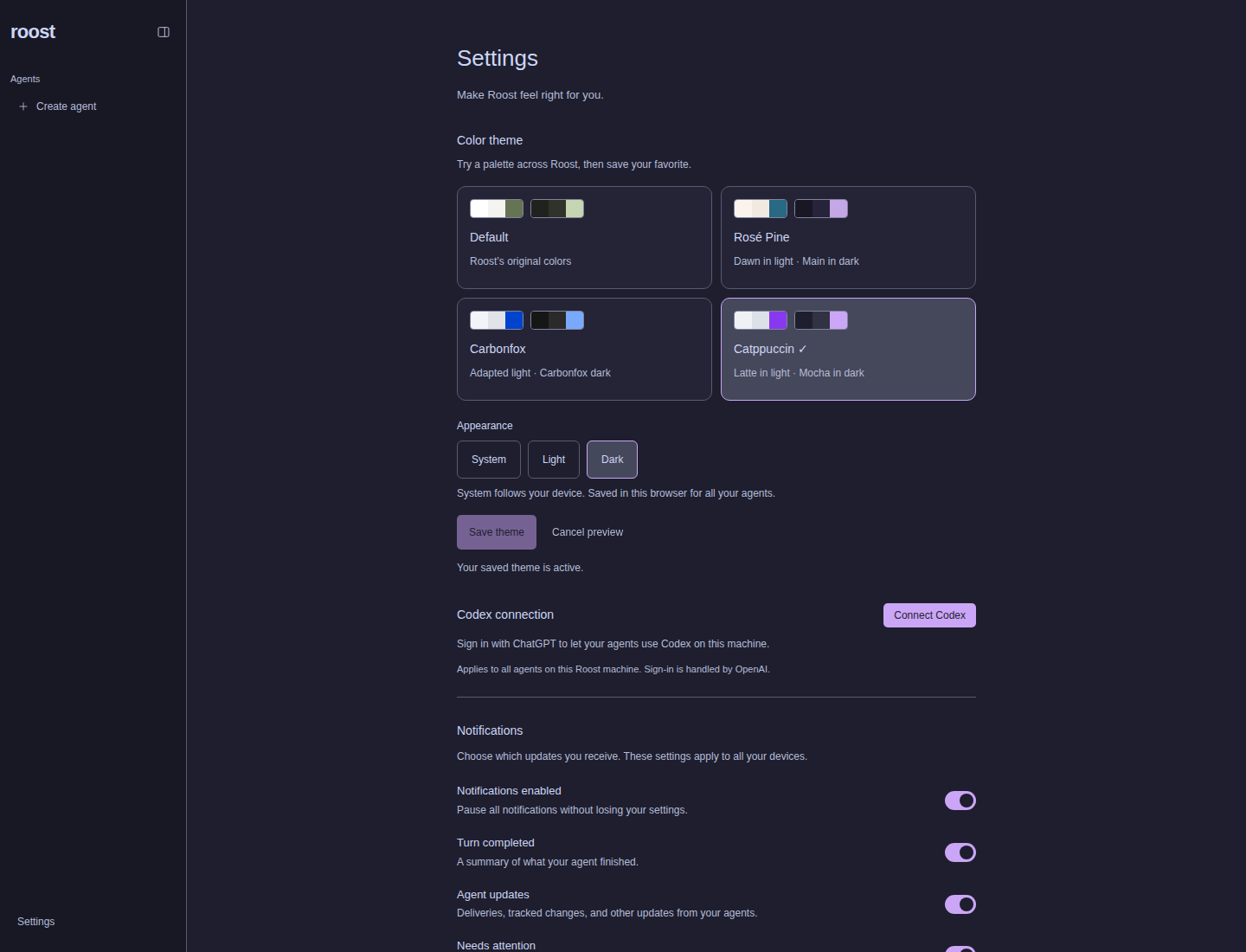
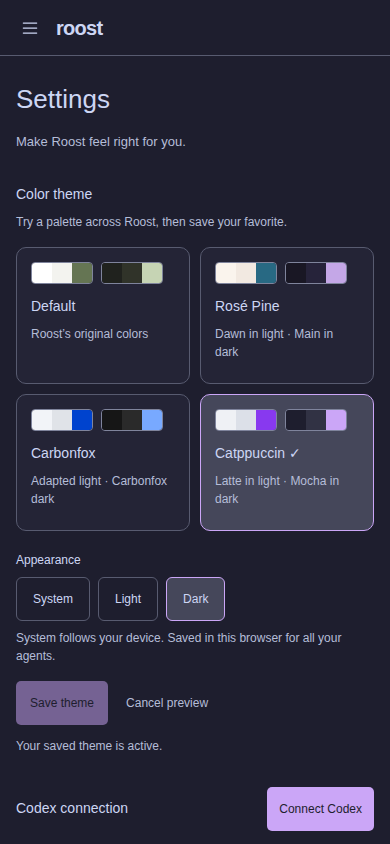
The same directory contains conversation-{preset}-{light|dark}.png for all
four presets, captured from the existing Settings sample conversation.
Review limitations: Chromium desktop/mobile emulation was used, not physical phones or Safari/Firefox. Preferences are per-browser, consistent with existing display settings; they are not account-synced. No remaining implementation or check blockers. The coordinator owns the Notion Work summary and Human review; only the user sets Done.